India-Based Data Entry Outsourcing Support Serving USA, Canada, UK, Australia, Europe, New Zealand, Singapore, UAE
Document Scanning

Document Scanning Services That Protect Page Order, Image Quality and Archive Completeness

Every later index or transcription is limited by the scan beneath it. A professional document scanning workflow protects reverse sides, margins, folds, page sequence and document boundaries before a clean-looking PDF is accepted.

Physical intake and digital output are reconciled through traceable batches. Offshore support can review crop, skew, orientation and completeness under the agreed custody model, but it cannot decide what original paper may be destroyed.

Clients outsource imaging work to move from paper inventory to consistent files. Expert owners retain privilege, retention and custody decisions, while the solution records quality defects and the status of every supplied document.

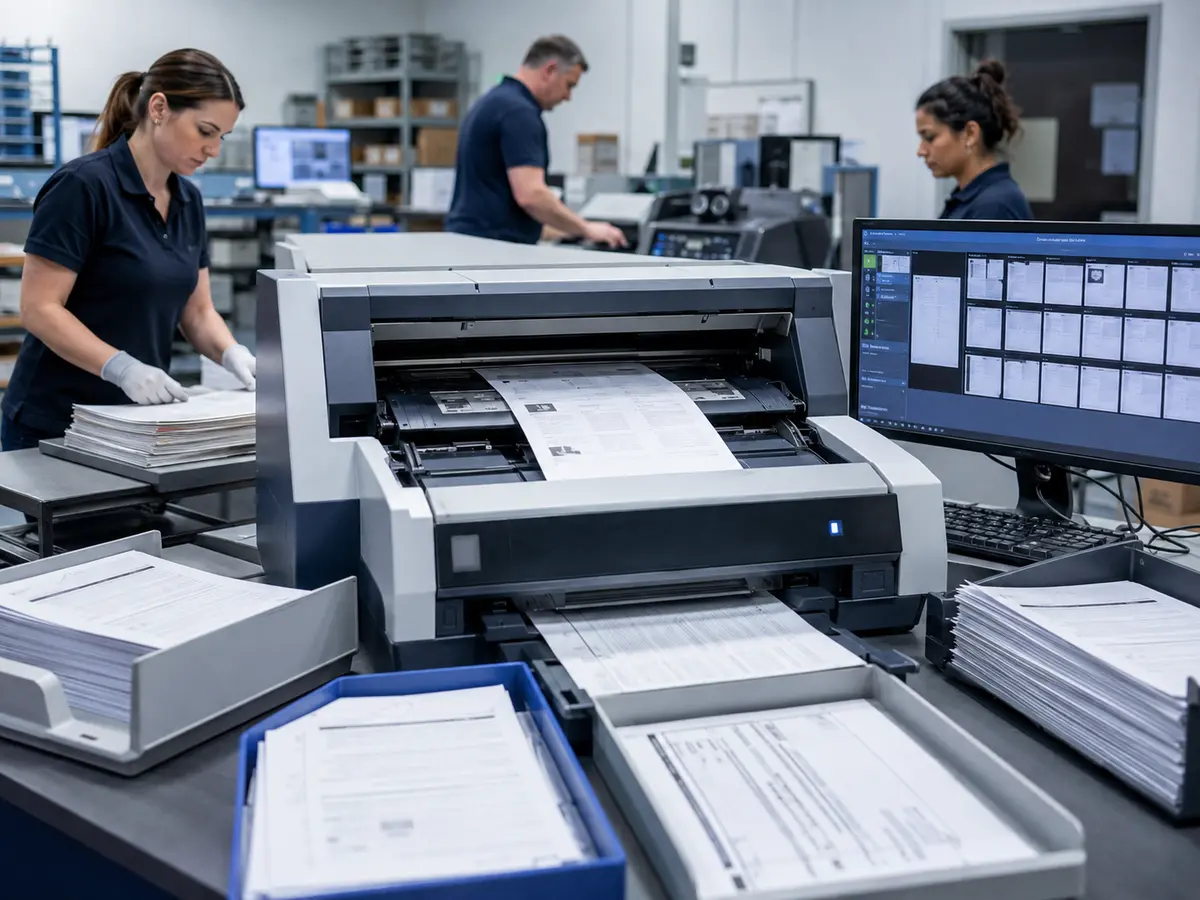
Shri Data Entry Services team working on Document Scanning Services projects
5000+ Completed Projects
90% Returning Clients
16+ Years Experience
45+ Countries Served
50+ Professionals Team
Services We Offer

A scan is successful when every required page is readable, ordered and connected to the right file

  • Physical inventory reconciled
  • Document boundaries defined
  • Duplex and blank-page rules set
  • Resolution and colour mode approved
  • Quality defects reason-coded
  • Original custody instructions retained

Resolution alone does not determine scan quality. Thin paper may show reverse-side content, bound volumes may hide text near the spine and mixed-size attachments may be cropped by a fixed page setting.

The project defines document boundaries, file names, page order, blank-page treatment, colour requirements and whether OCR or searchable PDF production follows scanning.

Physical handling must match client requirements. Staple removal, document preparation, return, storage and authorised destruction are distinct responsibilities and should be agreed before work begins.
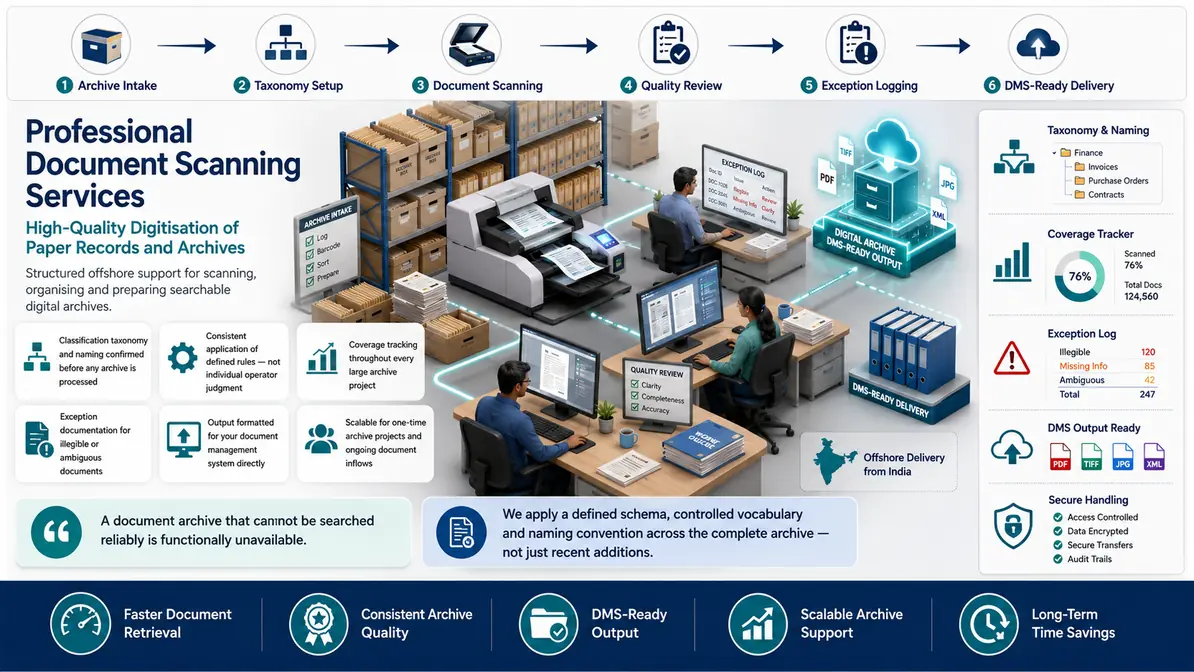

Paper-to-digital preparation with image and batch controls

Scanning, OCR, indexing and document management remain separate scope components.

01

Document preparation

Approved removal of clips, page separation, repair flags and document-boundary markers prepares the collection for consistent imaging.

02

Standard document scanning

Single- and double-sided pages are captured to the agreed resolution, colour mode, orientation and file format.

03

Mixed-size and bound records

Receipts, cards, foldouts and bound pages receive handling appropriate to their dimensions and physical condition.

04

Image quality control

Pages are reviewed for crop, skew, rotation, clarity, missing sides, duplicates and sequence problems.

05

File naming and batch reconciliation

Digital files are connected to the box, folder, document or supplied identifier and reconciled against the inventory.

06

Searchable PDF preparation

OCR can be added where appropriate, with its limitations and any required manual correction defined separately.

Document System Compatibility

Document Scanning Services: Direct Integration and Software Compatibility

Outputs are prepared around the field structure, controlled values and import requirements of your destination environment. Files can be delivered for review, staging or authorised import without forcing your team to rebuild the completed work.

Supported destinations

DMS-compatible files and metadata for searchable repositories

Files are mapped to the client’s approved template, naming rules, identifiers and system structure before full production begins.

  • SharePointLibraries and metadata columns
  • OpenTextEnterprise content repositories
  • iManageLegal matter workspaces
  • NetDocumentsCloud document profiles
  • AlfrescoContent models and properties
  • Custom SQLStaging and relational tables
Source continuity

References stay connected

Source IDs, filenames, record keys and approved relationships remain available for review and downstream traceability.

Import control

Fields are mapped before production

Mandatory fields, formats, controlled values, character limits and relationship keys are checked against the destination specification.

Pilot validation

Test the handoff with a representative batch

Rejected rows, unsupported values and mapping conflicts are returned with exact references so approved corrections can be incorporated before full-volume delivery.

Delivery formatsStructured for review, staging or import
  • CSV
  • XLSX
  • XML

Column order, encoding, date rules, multi-value handling and destination-specific requirements can follow the receiving system’s approved specification.

Compatibility means SDES prepares outputs to specifications supplied or approved by the client. Product names identify commonly used destination systems and do not imply endorsement, certification or partnership.

Process, Quality and Security

How paper records move through controlled digitisation

1. Reconcile Physical Intake

Containers, folders and expected documents are recorded under the agreed custody method.

2. Prepare and Separate

Approved preparation creates clear document boundaries and flags damaged originals.

3. Configure Image Standards

Resolution, colour, duplex, blank-page and output rules are confirmed.

4. Scan in Traceable Batches

Documents are imaged while preserving the inventory and sequence reference.

5. Review Image Quality

Crop, skew, clarity, order, duplicates and missing-page risks are checked.

6. Deliver and Reconcile

Files, quality holds and physical-document status are reported together.

The digital file should account for every physical document released to the scanning process

📂 Source formats we accept
  • Paper files and folders
  • Box or archive inventory
  • Document boundary rules
  • Resolution and file-format requirements
  • Return, retention and custody instructions
📤 Delivery formats
  • PDF, TIFF or approved image files
  • Batch reconciliation register
  • Scanning quality exception report
  • Named document folders
  • OCR/searchable files where included
Free accuracy test

What condition is the paper archive in?

Describe volumes, sizes, binding, damage, handwriting and required output. Physical custody and transport must be agreed before originals move.

✓ No credit card required✓ No contract required✓ 24–48 hour return
Discuss the Scanning Project
Source sampleyour_sample_data.csv
Received
Verified deliveryverified_output.xlsx
Reviewed
▣ Encrypted transfer◉ Quality controlled
Why Outsource to SDES?

Why scanning needs physical and digital controls in one workflow

Document Scanning Services workflow and quality review
  • Inventory reconciliation
  • Document boundary rules
  • Mixed-page handling
  • Professional image checks
  • Expert custody decisions retained
  • Offshore post-scan capacity

Organisations outsource scanning and post-scan work to reduce archive backlogs, but ownership of originals and retention remains internal. A professional workflow documents both sides of the handoff.

Our offshore support can review and organise digital batches while expert client personnel retain custody, destruction and compliance decisions.

Start Your Project →
Industries We Support

Scanning requirements across different paper collections

Legal

Matter files scanned with sequence and privilege controls supplied by the client.

Healthcare Administration

Approved records digitised under privacy and custody requirements.

Finance

Invoices, statements and supporting files scanned for review collections.

Property

Lease, deed and inspection files converted into organised digital sources.

Manufacturing

Quality, maintenance and supplier documents digitised by controlled type.

Archives

Historical and research collections scanned with page provenance.

Case Studies

Relevant Project Experience

Mixed Property File Digitisation

Project Name
Mixed Property File Digitisation
Volume
folders containing A4 pages, receipts and plans — completed in 4 weeks
Problem
Fixed scanning settings cropped attachments and obscured foldout details.
Solution
Document-size rules and exception imaging were defined before batch production.
Outcome
The model delivered complete file groups with non-standard pages tracked separately.
Title
Property Records Manager
Industry
Real Estate
Country
Australia

Bound Register Imaging

Project Name
Bound Register Imaging
Volume
17,969 records — completed in 4 weeks
Problem
Text near the spine and faint ink reduced readability.
Solution
Page handling, image review and low-confidence flags were designed for bound sources.
Outcome
The solution preserved page sequence and identified images needing archive review.
Title
Digitisation Programme Lead
Industry
Cultural Heritage
Country
United Kingdom

Finance File Batch Reconciliation

Project Name
Finance File Batch Reconciliation
Volume
70,821 records — completed in 6 weeks
Problem
The client needed proof that every released folder had a corresponding digital file.
Solution
Box, folder and document identifiers were reconciled through intake and delivery.
Outcome
The professional handoff included a completed inventory and scanning exception register.
Title
Finance Records Lead
Industry
Financial Services
Country
Canada
FAQs

Questions about document scanning

Are scanning and document indexing the same service?

No. Scanning creates the digital image; indexing creates metadata for retrieval. They can be combined under one approved workflow.

Can damaged or bound documents be scanned?

They can be assessed, but handling method, achievable image quality and custody restrictions depend on physical condition.

Will paper originals be destroyed after scanning?

Not without explicit written client authority and an agreed disposition process.

Can Document Scanning Services follow our existing template or platform fields?

Yes, when the destination fields, accepted values, identifiers and permitted actions are confirmed. Delivery can be prepared as PDF, TIFF or approved image files, Batch reconciliation register, with unresolved records excluded from upload-ready output.

📩 Review a Scanning Sample
💬