India-Based Data Entry Outsourcing Support Serving USA, Canada, UK, Australia, Europe, New Zealand, Singapore, UAE
Image to Text Conversion Services

Image to Text Conversion Services for Accurate Editable Text from Any Visual Source

A photograph or screenshot contains visual evidence that a search box, spreadsheet or document editor cannot use directly. Our image-to-text conversion service captures the required words or fields while preserving their intended order and context.

JPEG, PNG and photographed pages are grouped by quality, orientation and layout before processing. OCR may accelerate clear print; manual typing and correction handle skew, shadows, mixed columns and characters the image does not support confidently.

Clients can outsource image transcription for archives, forms, research sources and operational records. Delivery may include Word, Excel, CSV or plain text with source-image references and a separate queue for unreadable or structurally ambiguous content.

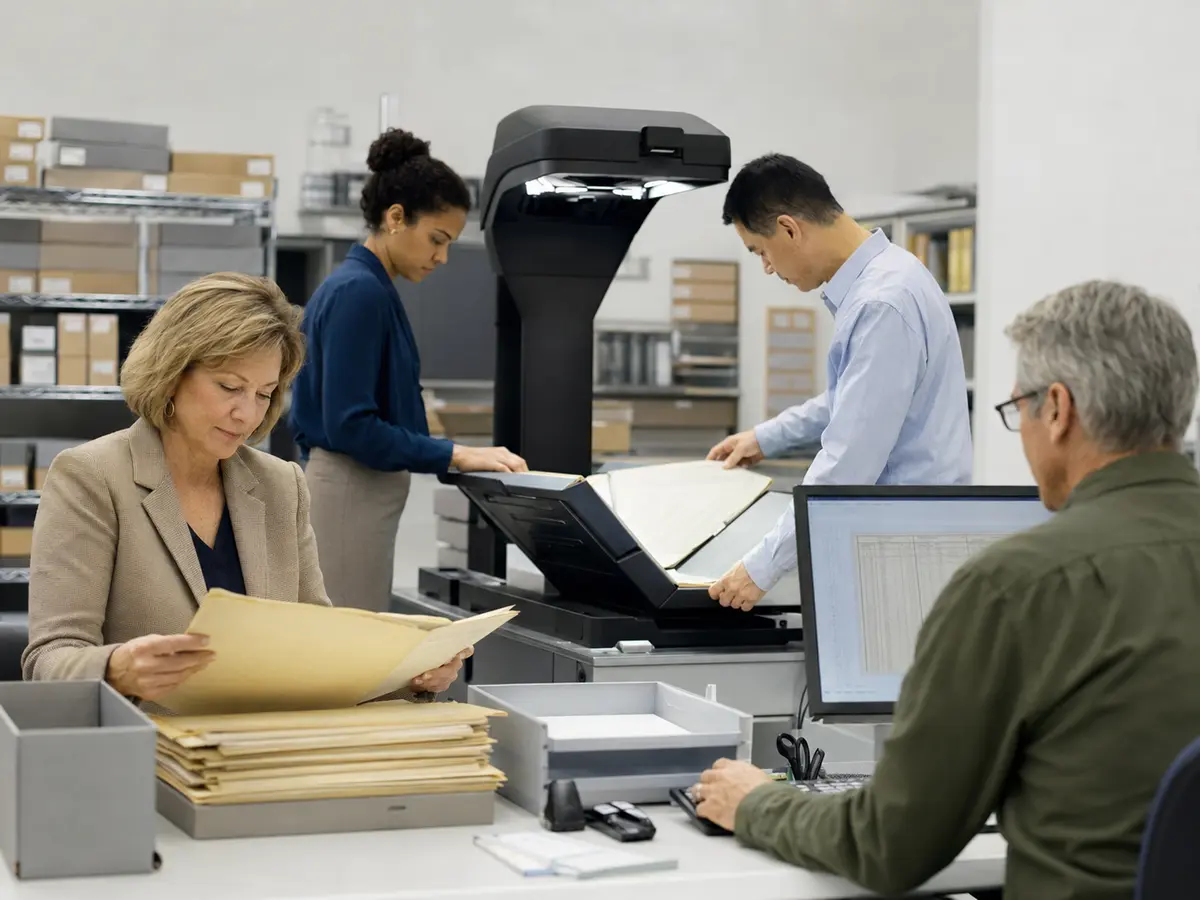
Shri Data Entry Services team working on Image to Text Conversion Services projects
5000+ Completed Projects
90% Returning Clients
16+ Years Experience
45+ Countries Served
50+ Professionals Team
Services We Offer

Read the image conditions before deciding how its content should be captured

  • Image quality grouped
  • Orientation corrected
  • Output fields defined
  • OCR suitability tested
  • Manual typing boundary set
  • Source-image references retained

A screenshot, phone photograph and high-resolution scan may all contain text, but they do not present the same recognition problem. Perspective, shadows, compression, glare and background detail can affect both characters and reading order.

JPEG, JPG, PNG and photographed sources are grouped by layout and quality. OCR supports clear print; manual transcription handles difficult fields and verifies priority values.

Clients can assign image data extraction to the delivery team for Word, Excel, CSV or plain-text output. The return preserves the connection to each source image and isolates unreadable or ambiguous content instead of guessing.
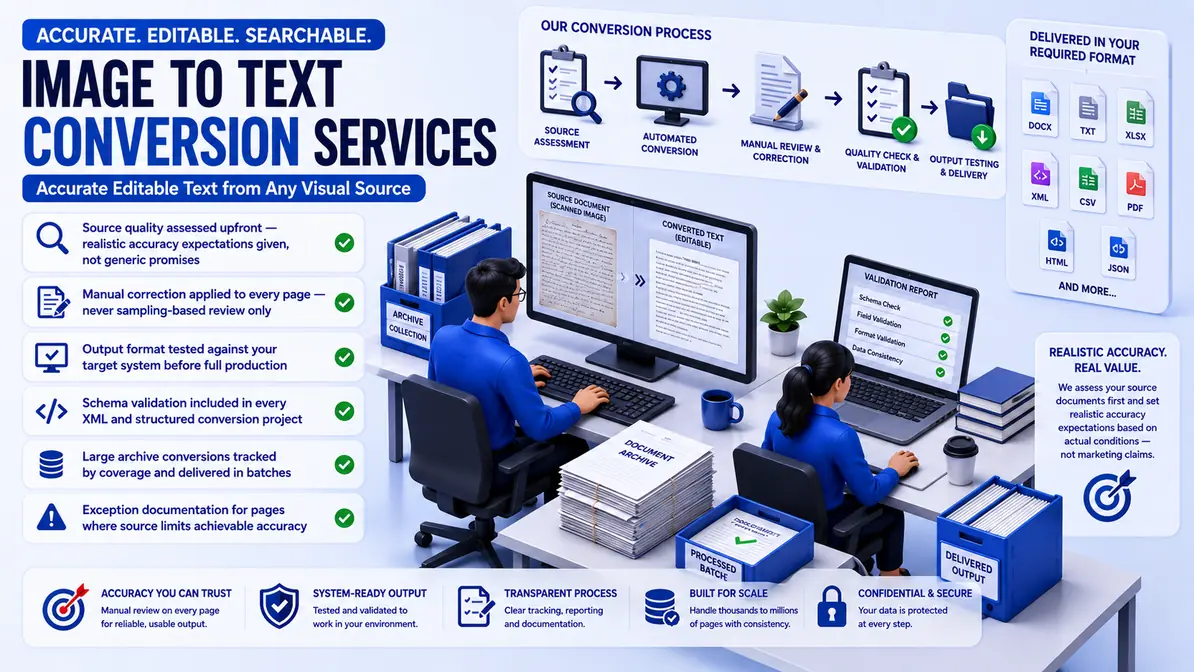

Image transcription for documents, screenshots, photographs and structured fields

The required output determines whether the image becomes prose, a table or a record.

01

JPEG and PNG to editable text

Printed paragraphs, labels and document text are converted into Word or plain text with reading order and paragraph structure corrected.

02

Structure Image-Based Tables for Excel or CSV

Defined values and tables are captured into typed columns with headers, identifiers and source-image references.

03

Screenshot text and interface capture

Approved text, labels, messages or visible fields are transcribed from screenshots without inferring hidden states or unavailable context.

04

Photographed document transcription

Perspective, glare, shadows and page curvature are assessed before OCR or manual typing is applied.

05

Image-based form data entry

Names, dates, selections and comments are captured under rules for blanks, overwriting and unreadable fields.

06

Mixed print and handwriting capture

Printed content may use OCR while handwriting follows a manual transcription and confidence process appropriate to the source.

Document System Compatibility

Image To Text Conversion: Direct Integration and Software Compatibility

Outputs are prepared around the field structure, controlled values and import requirements of your destination environment. Files can be delivered for review, staging or authorised import without forcing your team to rebuild the completed work.

Supported destinations

DMS-compatible files and metadata for searchable repositories

Files are mapped to the client’s approved template, naming rules, identifiers and system structure before full production begins.

  • SharePointLibraries and metadata columns
  • OpenTextEnterprise content repositories
  • iManageLegal matter workspaces
  • NetDocumentsCloud document profiles
  • AlfrescoContent models and properties
  • Custom SQLStaging and relational tables
Source continuity

References stay connected

Source IDs, filenames, record keys and approved relationships remain available for review and downstream traceability.

Import control

Fields are mapped before production

Mandatory fields, formats, controlled values, character limits and relationship keys are checked against the destination specification.

Pilot validation

Test the handoff with a representative batch

Rejected rows, unsupported values and mapping conflicts are returned with exact references so approved corrections can be incorporated before full-volume delivery.

Delivery formatsStructured for review, staging or import
  • CSV
  • XLSX
  • XML

Column order, encoding, date rules, multi-value handling and destination-specific requirements can follow the receiving system’s approved specification.

Compatibility means SDES prepares outputs to specifications supplied or approved by the client. Product names identify commonly used destination systems and do not imply endorsement, certification or partnership.

Process, Quality and Security

A visual-quality workflow from image inventory to usable text

1. Inventory Image Types

Formats, dimensions, orientation, duplicates and expected records are reconciled.

2. Define Reading and Field Rules

Text order, table columns, blank handling and output structure are approved.

3. Test OCR Versus Manual Capture

Representative clean and difficult images establish the safest production route.

4. Convert With Source Identity

Every record remains linked to its filename, image or page reference.

5. Review Priority Content

Checks focus on identifiers, names, amounts and fields important to downstream use.

6. Deliver Text and Confidence Holds

Usable output and unreadable or structurally ambiguous items remain separate.

📂 Source formats we accept
  • JPEG, PNG, TIFF and BMP image files
  • Image-based PDF documents
  • Screenshots and screen captures
  • Photographed document images
  • Bulk image archive folders
📤 Delivery formats
  • Editable Word and plain text documents
  • Structured CSV and Excel output
  • Searchable PDF with corrected text layer
  • XML structured content
  • Exception log for unclear values

File counts, orientation and duplicate images are reviewed before capture so the output does not omit or repeat source items.

Priority fields are compared directly with the image. OCR confidence alone is not accepted as proof of a correct identifier or amount.

Unreadable characters and ambiguous reading order remain source-linked for review; missing content is not completed from assumption.

🔒 NDA Protected Before files are shared
🌐 GDPR Aware EU data handling
Defined Quality Target Confirmed by pilot
🛡️ Secure Transfer Encrypted file access
📋 Exception Log Every delivery
👥 Project Team Only Controlled access
Free accuracy test

Have images containing text that needs to be extracted accurately?

Send us a sample of your source images and describe your target format. We convert a free sample batch so you can review accuracy, correction quality and output structure.

✓ No credit card required✓ No contract required✓ 24–48 hour return
Get a Free Sample Conversion
Source sampleyour_sample_data.csv
Received
Verified deliveryverified_output.xlsx
Reviewed
▣ Encrypted transfer◉ Quality controlled
Why Outsource to SDES?

Why visual text extraction needs more than an OCR upload

Image to Text Conversion Services workflow and quality review
  • Image-quality routing
  • Perspective-aware review
  • Manual transcription option
  • Field-level traceability
  • Confidence-based holds
  • Capacity for image backlogs

The conversion method is selected from the source conditions instead of forcing every photograph through one recognition engine.

Organisations can assign volume while authorised owners retain decisions about unclear, specialist or regulated content. The return is explicit about what the pixels do not support.

Start Your Project →
Industries We Support

Image-to-text conversion for document-intensive operations

Publishing & Archives

Scanned books, periodicals and historical collections are converted into accurate, searchable text, with layout, footnotes and columned text handled correctly rather than run together.

Legal

Scanned filings, exhibits and correspondence are converted into editable, searchable text with the original formatting and page references preserved for case management and e-discovery use.

Healthcare

Handwritten charts, faxed referrals and scanned lab reports are converted into text your records system can index and search, with illegible sections flagged rather than guessed.

Real Estate & Title

Scanned deeds, survey documents and older recorded instruments are converted into searchable text, preserving legal descriptions and instrument references exactly as recorded.

Government & Public Records

Historical filings, permits and public records held only as scanned images or microfilm are converted into searchable, retrievable text for archive and citizen-request systems.

Retail & Product

Product labels, packaging text and supplier spec sheets captured as photos are converted into structured text fields ready for catalog and compliance use.

Education & Research

Scanned theses, research papers and historical academic records are converted into searchable text that supports citation, indexing and institutional archiving.

Finance

Scanned statements, receipts and forms are converted into structured, verifiable text, with figures checked against the source image rather than assumed from OCR output alone.

Case Studies

Relevant Project Experience

Field Inspection Photo Capture

Project Name
Field Inspection Photo Capture
Volume
126,000 mobile photographs — completed in 6 weeks
Problem
Labels, readings and notes appeared at varied angles and under uneven lighting.
Solution
Images were grouped by form type; OCR handled clear labels and operators verified readings.
Outcome
The engineering team received structured records with low-confidence images isolated.
Title
Asset Data Manager
Industry
Energy and Utilities
Country
Australia

Marketplace Screenshot Archive

Project Name
Marketplace Screenshot Archive
Volume
310,000 approved screenshots — completed in 2 weeks
Problem
Visible product fields changed position across device views and site updates.
Solution
A field map identified only the required visible values and retained capture references.
Outcome
Analysts received comparable rows without inferring unavailable listing details.
Title
Commerce Research Lead
Industry
Market Intelligence
Country
United States

Historical Card Image Transcription

Project Name
Historical Card Image Transcription
Volume
58,400 index-card images — completed in 3 weeks
Problem
Typed labels, handwritten annotations and faded stamps shared each card.
Solution
The workflow combined print recognition with manual transcription and separate confidence codes.
Outcome
The archive became searchable while uncertain handwriting stayed linked to the card image.
Title
Collections Digitisation Manager
Industry
Cultural Heritage
Country
Canada
FAQs

Source quality, reading order and output questions

Can photographs taken by phone be converted?

Yes. A representative sample is assessed for perspective, lighting, resolution and source variation before expectations are confirmed.

Do you use OCR for every image?

No. OCR is used where suitable; manual transcription and verification are applied when image conditions or content require them.

Can each output record retain its source image reference?

Yes. Filename, image ID or another supplied reference can remain in the output for review and traceability.

Can Image to Text Conversion Services follow our existing template or platform fields?

Yes, when the destination fields, accepted values, identifiers and permitted actions are confirmed. Delivery can be prepared as Editable Word and plain text documents, Structured CSV and Excel output, with unresolved records excluded from upload-ready output.

📩 Get a Free Sample Conversion
💬