India-Based Data Entry Outsourcing Support Serving USA, Canada, UK, Australia, Europe, New Zealand, Singapore, UAE
Best Buy Product Data Entry Services

Best Buy Product Data Entry Built for Specification-Heavy Retail Catalogs

A Best Buy listing must connect a precise product identity with the technical specifications buyers use to compare models. Our professional Best Buy product data entry services organise identifiers, category attributes, media and seller-offer fields without filling specification gaps through inference.

An expert setup review confirms the partner programme, destination catalog, product key, category, required specifications, variants, offer fields and image standards. The delivery team then prepares approved records while brand claims, pricing, availability, fulfilment, warranty and publication remain with the seller or vendor.

Partners outsource catalog onboarding or recurring feed maintenance when technical product volumes exceed internal capacity. The solution delivers source-referenced products, reconciled feed results and a separate queue for identifier conflicts, invalid attributes and unsupported compatibility statements.

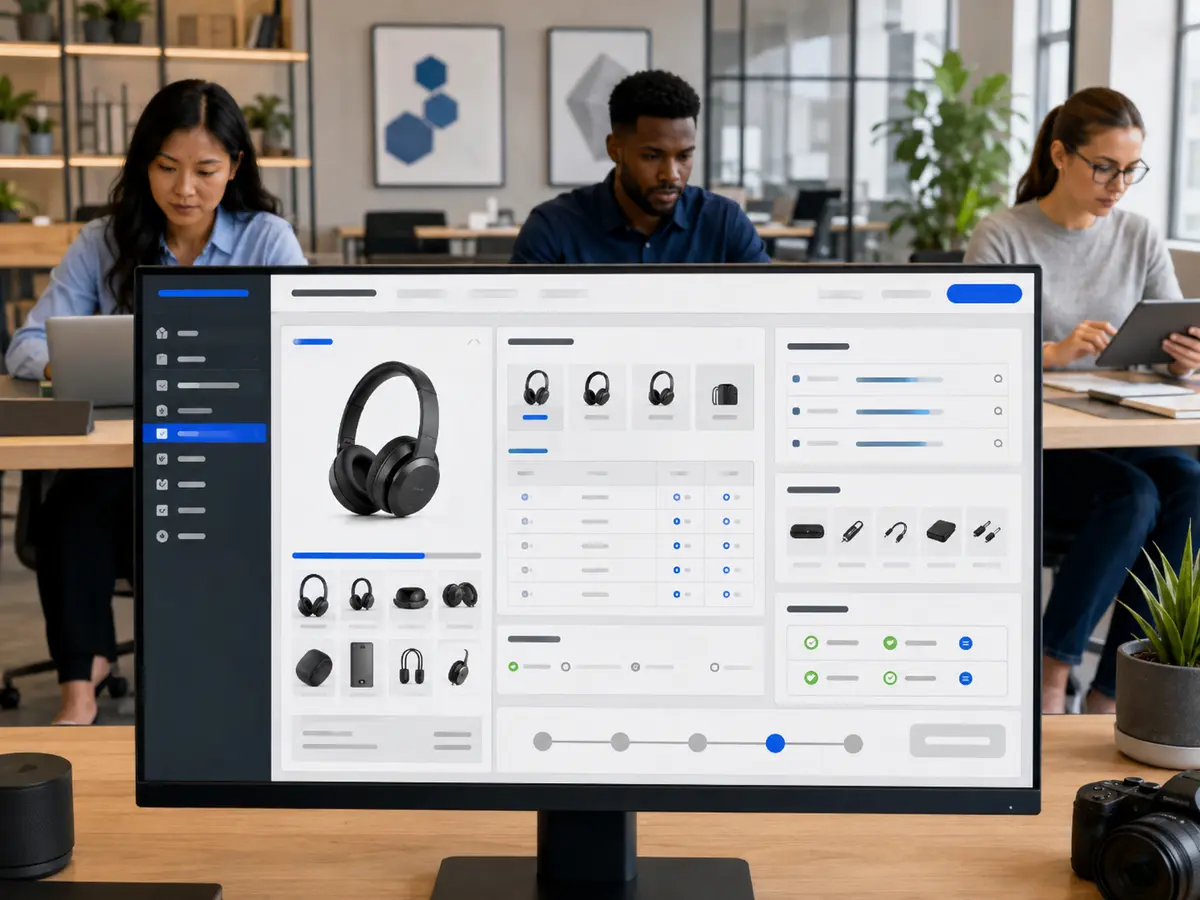
Shri Data Entry Services team working on Best Buy Product Data Entry Services projects
5000+ Completed Projects
90% Returning Clients
16+ Years Experience
45+ Countries Served
50+ Professionals Team
Services We Offer

Attach every model, capacity and compatibility value to the exact product it describes

  • Partner route confirmed
  • Product key verified
  • Category schema selected
  • Units normalised
  • Variant identity retained
  • Offer authority controlled

Consumer electronics and adjacent categories contain many near-identical models whose region, capacity, colour, generation or included components differ. A copied specification can misrepresent the item even when the title looks plausible.

We map manufacturer and distributor evidence into the applicable Best Buy partner or marketplace structure. Shared product content is separated from sellable variants and offer data, and technical units are normalised only under approved category rules.

Controlled production supports catalog scale while the documented workflow protects product accuracy. Submission results are reconciled so rejected or incomplete records remain visible before commercial teams rely on them.
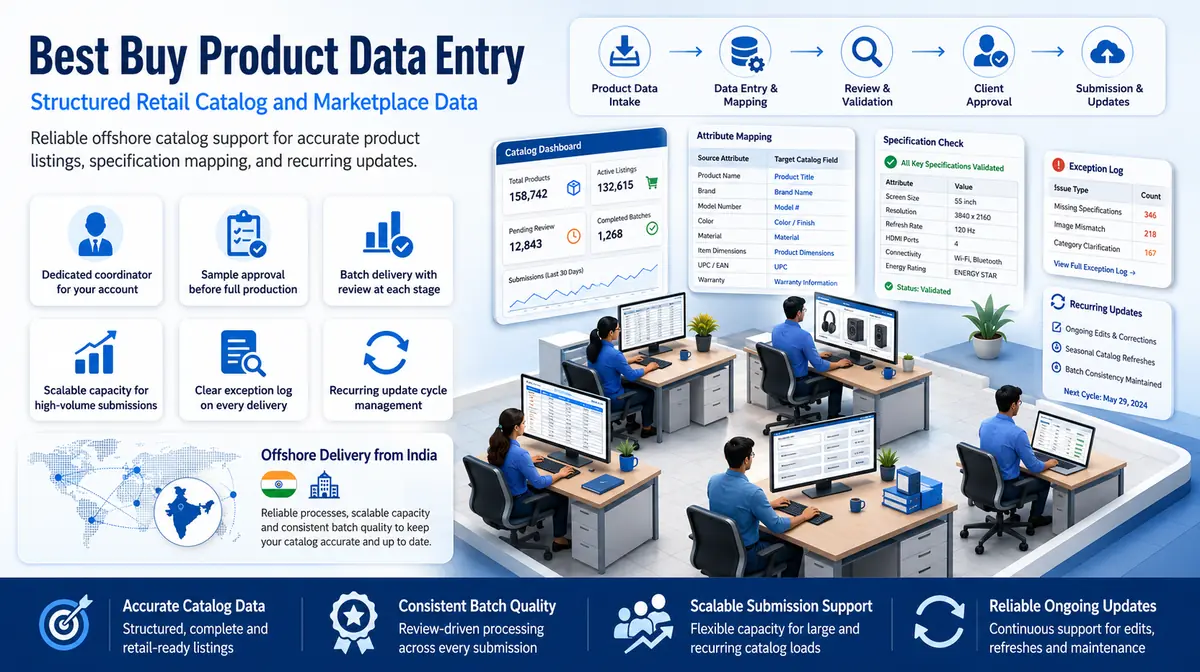

Product and offer data prepared for category-specific retail requirements

The current partner documentation and account configuration govern each working batch.

01

Product identifier and model entry

Approved GTIN, UPC, manufacturer part number, model, brand, seller SKU and other partner identifiers are captured first. Conflicting or reused identifiers are held before specifications and offers are attached.

02

Category and specification population

Products are mapped to approved categories and populated with relevant technical, dimensional, compatibility and feature attributes using supported units and allowed values. Category ambiguity returns to the product owner.

03

Title, description and feature content

Brand-approved names, summaries, features, included components and technical descriptions are prepared from manufacturer sources. Comparative, performance and compatibility claims are not created without evidence.

04

Variant and product-family records

Colour, capacity, size, regional model and other approved variants remain separately identifiable while sharing supported family content. Every sellable record maintains its own identifiers and offer relationship.

05

Offer, inventory and fulfilment fields

Seller-approved price, quantity, availability, fulfilment and commercial fields are associated with the correct product. The team records authorised values but does not set price or service policy.

06

Media, document and feed-result review

Approved images, manuals and supporting assets are mapped by exact model or variant. Accepted, warned and failed feed records are reconciled to the input batch before closure.

Commerce Platform Compatibility

Best Buy Product Data Entry Services: Direct Integration and Software Compatibility

Outputs are prepared around the field structure, controlled values and import requirements of your destination environment. Files can be delivered for review, staging or authorised import without forcing your team to rebuild the completed work.

Supported destinations

Catalog and product files prepared for multichannel commerce

Files are mapped to the client’s approved template, naming rules, identifiers and system structure before full production begins.

  • ShopifyProducts, variants and collections
  • WooCommerceCatalog and attribute imports
  • AmazonSeller and marketplace templates
  • eBayListings and item specifics
  • Magento / Adobe CommerceCatalog and store-view fields
  • PIM / ERP SystemsClient-defined product schemas
Source continuity

References stay connected

Source IDs, filenames, record keys and approved relationships remain available for review and downstream traceability.

Import control

Fields are mapped before production

Mandatory fields, formats, controlled values, character limits and relationship keys are checked against the destination specification.

Pilot validation

Test the handoff with a representative batch

Rejected rows, unsupported values and mapping conflicts are returned with exact references so approved corrections can be incorporated before full-volume delivery.

Delivery formatsStructured for review, staging or import
  • CSV
  • XLSX
  • XML

Column order, encoding, date rules, multi-value handling and destination-specific requirements can follow the receiving system’s approved specification.

Compatibility means SDES prepares outputs to specifications supplied or approved by the client. Product names identify commonly used destination systems and do not imply endorsement, certification or partnership.

Process, Quality and Security

A Best Buy catalog workflow from model verification to feed reconciliation

1. Confirm Partner and Catalog Scope

Programme, market, account, categories, brands, systems, permissions and publication owners are documented.

2. Map Product and Offer Fields

The setup review defines identifiers, specifications, variants, content, offers, media and source precedence.

3. Pilot Similar Product Models

Near-identical models, regional variants, bundles and incomplete specification sheets test the mapping.

4. Prepare Supported Catalog Records

The delivery team captures approved data and maintains product, variant, offer and media relationships.

5. Validate Category Completeness

Identifiers, required specifications, units, variants, claims, images and offer fields are checked.

6. Reconcile Partner Results

Accepted, warned, rejected and revised records are matched to the batch and product decisions are returned.

We work with your existing product documentation

Technical product data for Best Buy often arrives from multiple manufacturer sources with different formats and specification detail levels. We review what is available, structure it correctly and flag gaps before they cause submission errors.

📂 Source formats we accept
  • Manufacturer and distributor product files
  • GTIN, UPC, MPN, model and seller SKU registers
  • Technical specification sheets
  • Approved marketing and warranty content
  • Product images and document libraries
  • Partner catalog and offer templates
📤 Delivery formats
  • Best Buy-ready catalog file
  • Category specification dataset
  • Product and variant master
  • Seller offer and inventory file
  • Product-to-media mapping
  • Feed warning, rejection and missing-data log

Quality checks cover product keys, GTIN or MPN evidence, model, category, required attributes, units, variant identity, claims, offer links, images and agreement between source and output counts.

Partner structures and requirements can change. The current account templates and official partner guidance are reviewed for the working batch rather than relying on an earlier feed.

The production team prepares supported Best Buy data. An expert seller or vendor owner approves model identity, compatibility, claims, price, fulfilment, warranty and final publication.

🔒 NDA Protected Before files are shared
🌐 GDPR Aware EU data handling
Defined Quality Target Confirmed by pilot
🛡️ Secure Transfer Encrypted file access
📋 Exception Log Every delivery
👥 Project Team Only Controlled access
Free accuracy test

Preparing a Best Buy catalog submission?

Send us a sample of your source files and product count. We review the data, map it to Best Buy's requirements and provide a free sample batch so you can assess our accuracy before the full project begins.

✓ No credit card required✓ No contract required✓ 24–48 hour return
Request Free Sample Batch
Source sampleyour_sample_data.csv
Received
Verified deliveryverified_output.xlsx
Reviewed
▣ Encrypted transfer◉ Quality controlled
Why Outsource to SDES?

Why Best Buy catalog capacity must protect model-level specification accuracy

Best Buy Product Data Entry Services workflow and quality review
  • Identifier verification
  • Category schemas
  • Unit consistency
  • Variant separation
  • Feed reconciliation
  • Scalable catalog capacity

Best Buy sellers and vendors outsource professional product data entry when specification-heavy onboarding and updates are delaying assortment availability.

The documented workflow lets the delivery team prepare supported records while model identity, claims, prices, availability, warranty, fulfilment and publication remain with authorised partner owners.

Start Your Project →
Industries We Support

Best Buy catalog support adapted to technical and comparison-driven products

Different product types and business models have different catalog challenges when working with Best Buy requirements. We adapt our process to the technical complexity and volume of each client.

Computers and Mobile Devices

Processor, memory, storage, display, connectivity, regional model and included-component data tied to exact identifiers.

Consumer Electronics

Audio, video, camera, gaming and smart-device specifications structured for relevant categories and comparisons.

Appliances and Smart Home

Capacity, dimensions, energy, installation, compatibility and finish details captured from approved technical sources.

Automotive and Installation Products

Model, fitment, power, interface, included hardware and service-related references organised by product.

Office, Furniture and Lifestyle

Dimensions, materials, features, assembly, media and seller-offer data maintained under category rules.

Health and Personal Technology

Approved device specifications and product details captured without unsupported health or performance claims.

Case Studies

Relevant Project Experience

Consumer Electronics Catalog Onboarding

Project Name
Consumer Electronics Catalog Onboarding
Volume
42,000 products and 118,000 offers — completed in 3 weeks
Problem
Distributor files reused short model names and lacked consistent separation between regional versions and capacity variants. For the Consumer Electronics Catalog Onboarding in United States workload, channel teams had to compare supplier sources manually, slowing publication and increasing the risk of inconsistent product records.
Solution
A professional identity model linked GTIN, MPN, full model and region before category specifications and offers were added. For Consumer Electronics Catalog Onboarding in United States, sKU and channel relationships were checked before delivery, while unsupported attributes and probable matches entered a separate review queue.
Outcome
The partner received controlled catalog batches and a focused queue for ambiguous models and unsupported regional claims. After completing Consumer Electronics Catalog Onboarding in United States, product, variant and asset relationships remained consistent across releases, reducing repeated correction work for merchandising teams.
Title
Retail Marketplace Director
Industry
Electronics Distribution
Country
United States

Appliance Specification Normalisation

Project Name
Appliance Specification Normalisation
Volume
16,500 appliances across 48 categories — completed in 4 weeks
Problem
Dimensions, capacities and energy fields used mixed units and supplier-specific labels that could not pass consistent category validation. For the Appliance Specification Normalisation in Canada workload, channel teams had to compare supplier sources manually, slowing publication and increasing the risk of inconsistent product records.
Solution
The delivery team applied approved category schemas and conversions from manufacturer documentation. The solution routed contradictory specifications for expert vendor review.
Outcome
The catalog gained comparable technical records without choosing between conflicting source sheets. Following delivery for Appliance Specification Normalisation in Canada, channel teams could publish confirmed products from a clean file and resolve supplier exceptions without rechecking the complete catalog.
Title
Digital Product Content Manager
Industry
Home Appliances
Country
Canada

Marketplace Feed Error Recovery

Project Name
Marketplace Feed Error Recovery
Volume
73,000 submitted product and offer records — completed in 2 weeks
Problem
Previous feeds mixed catalog and commercial errors, causing repeated resubmission without a clear accepted-record baseline. Within Marketplace Feed Error Recovery in Australia, the inconsistencies affected search, merchandising and upload readiness across the client’s sales channels.
Solution
structured review reconciled results by record, corrected supported format and field issues, and separated identifier or offer decisions. For Marketplace Feed Error Recovery in Australia, sKU and channel relationships were checked before delivery, while unsupported attributes and probable matches entered a separate review queue.
Outcome
The seller received clean resubmission batches plus an evidence register for unresolved catalog and commercial questions. After completing Marketplace Feed Error Recovery in Australia, product, variant and asset relationships remained consistent across releases, reducing repeated correction work for merchandising teams.
Title
Marketplace Integration Lead
Industry
Multi-Category Retail
Country
Australia
FAQs

Questions to resolve before Best Buy catalog production begins

Can you populate technical specifications from manufacturer sheets?

Yes. Approved fields and units are mapped to the applicable category. Contradictory or missing specifications are returned for vendor review.

Do you manage both product and seller-offer data?

Yes, when included in scope. Product identity and specifications remain distinct from seller price, quantity, availability and fulfilment records.

What should we provide when we outsource Best Buy product data entry?

Provide partner scope, category templates, identifiers, source specifications, variant rules, approved content, images, offer data, permissions and publication owners.

What should a Best Buy Product Data Entry Services pilot contain?

Provide Manufacturer and distributor product files, GTIN, UPC, MPN, model and seller SKU registers, Technical specification sheets. The pilot should include ordinary records and known exceptions so field interpretation, review rules and delivery structure can be confirmed before production.

📩 Get Free Sample Batch
💬